Web Simulator
We have a (very) experimental WebGL build of our simulator that works right in your web browser. Head to your account dashboard at https://app.opengolfsim.com/account/simulator to check it out!
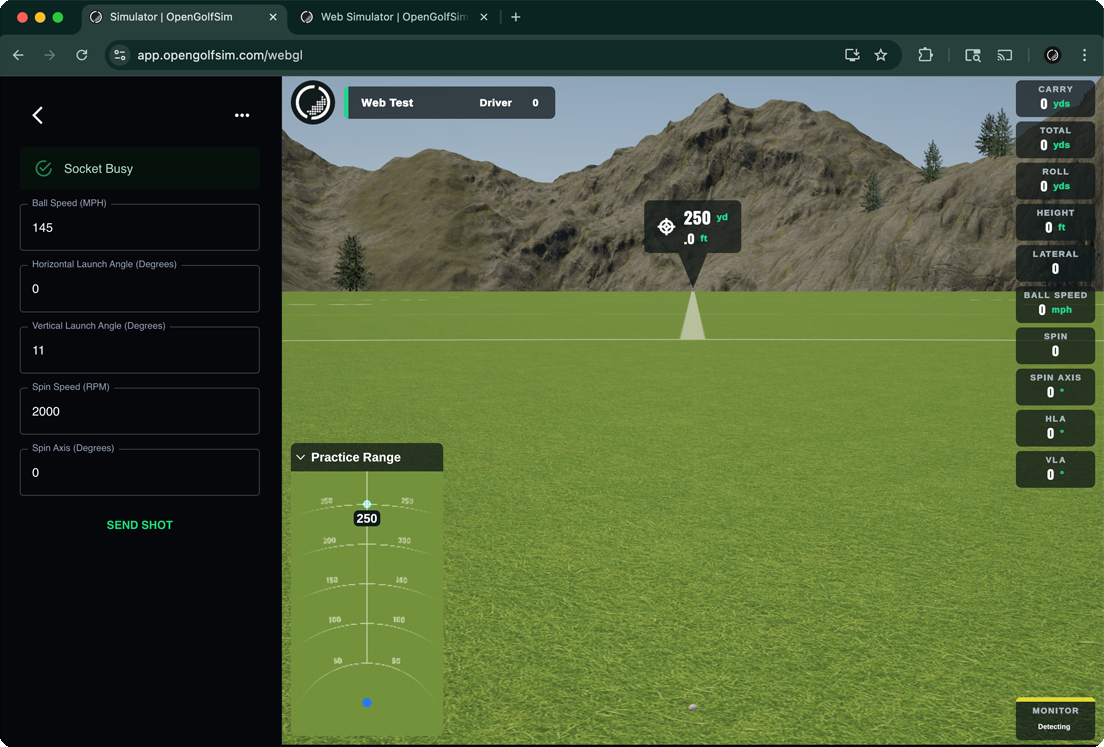
Settings
You can reopen the sidebar panel to send test shots and view connection status by clicking on the OGS icon in the top left corner, and selecting Settings
Connecting
To connect a launch monitor or control device, we offer a WebSocket connection to our developer API.
The WebSocket URL is constructed with your OpenGolfSim account’s email address:
wss://app.opengolfsim.com/api/YOUR_ACCOUNT_EMAIL
Where YOUR_EMAIL would be the email for your OpenGolfSim account.
Here’s a very basic example of connecting and sending a shot. The WebSocket API will eventually implement our full Developer API.
let ws = new WebSocket('wss://app.opengolfsim.com/api/hello@example.org');

ws.on('error', console.error);

ws.on('open', () => {
  console.log('socket connected!');

  // send device busy event
  ws.send(JSON.stringify({ type: 'device', status: 'busy' }));

  // send device ready event
  ws.send(JSON.stringify({ type: 'device', status: 'ready' }));

  // send shot
  ws.send(JSON.stringify({
    type: 'shot',
    unit: 'imperial',
    shot: {
      ballSpeed: 80, // mph
      verticalLaunchAngle: 10.5, // degrees
      horizontalLaunchAngle: 1.0, // degrees
      spinAxis: -0.5, // degrees, positive = hook/left, negative = slice/right
      spinSpeed: 3200 // ball RPM
    }
  }));

});

ws.on('close', (data) => {
  console.log('socket closed!');
});

ws.on('message', (data) => {
  console.log('received: %s', data);
});